How to Edit PDF Metadata Online for Free
⏱ Takes less than 1 minute
Sharing a PDF? Its metadata still shows the real author, tool used, and edit history. PDFredo's free online metadata editor lets you update or clear title, author, subject, and keywords in seconds. No account, no watermarks, and your file is deleted from our EU servers after 30 minutes.
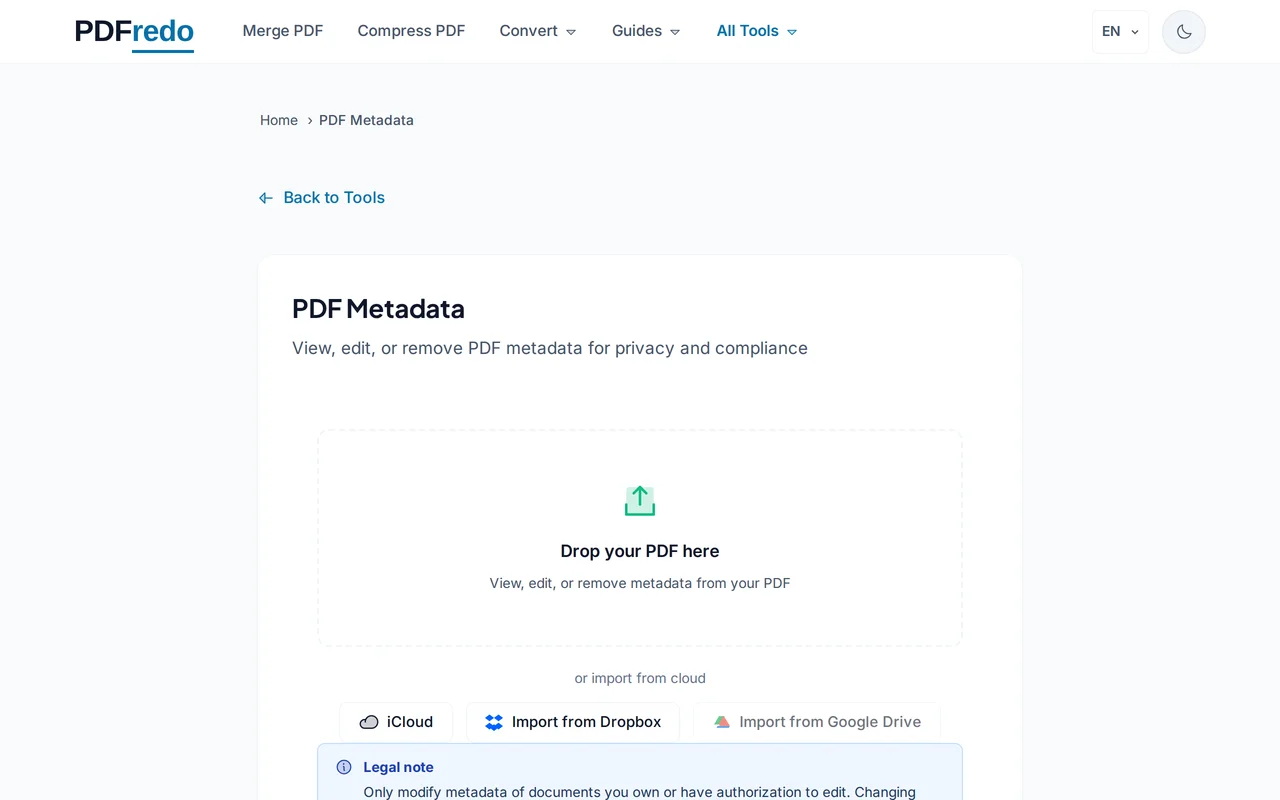
Upload your PDF
Drag your PDF or click "Select File". The current metadata loads into an editable form.
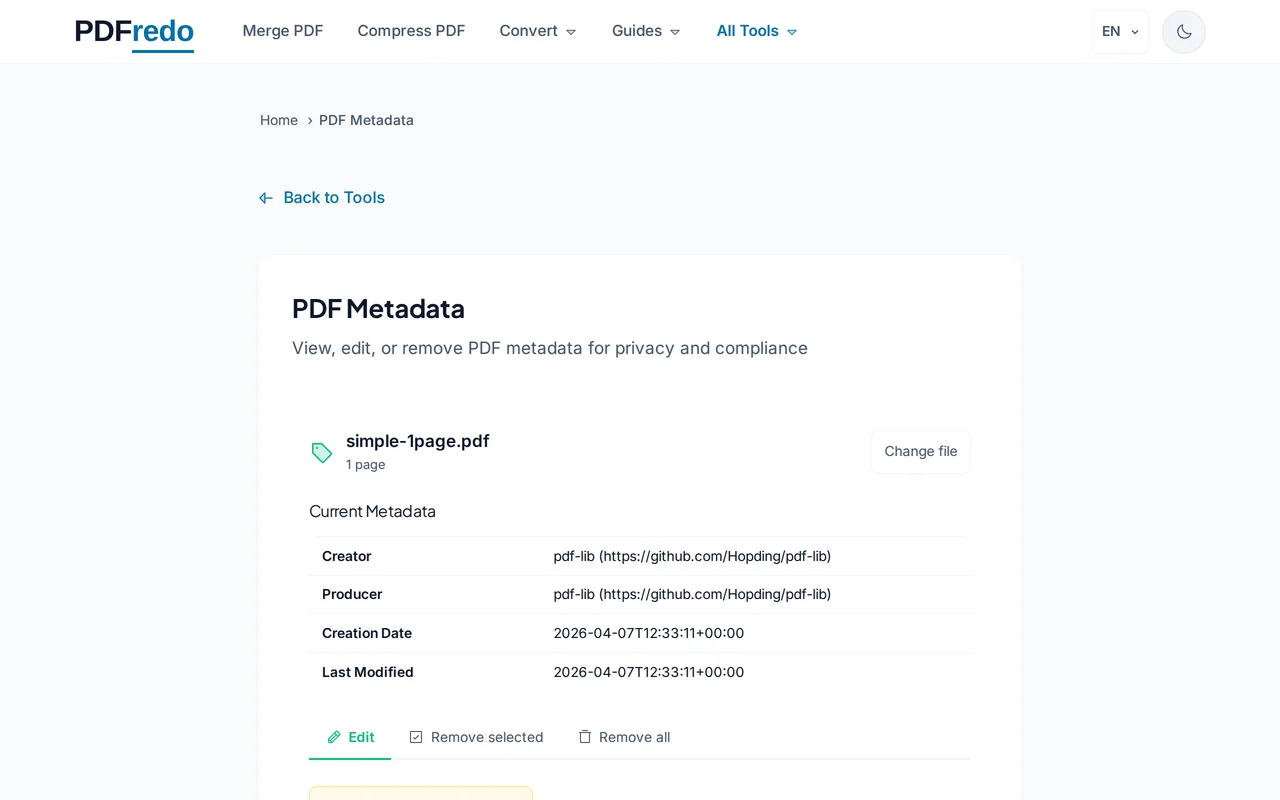
Edit the metadata fields
Change title, author, subject, and keywords. Click "Clear all" to strip every field before sharing.
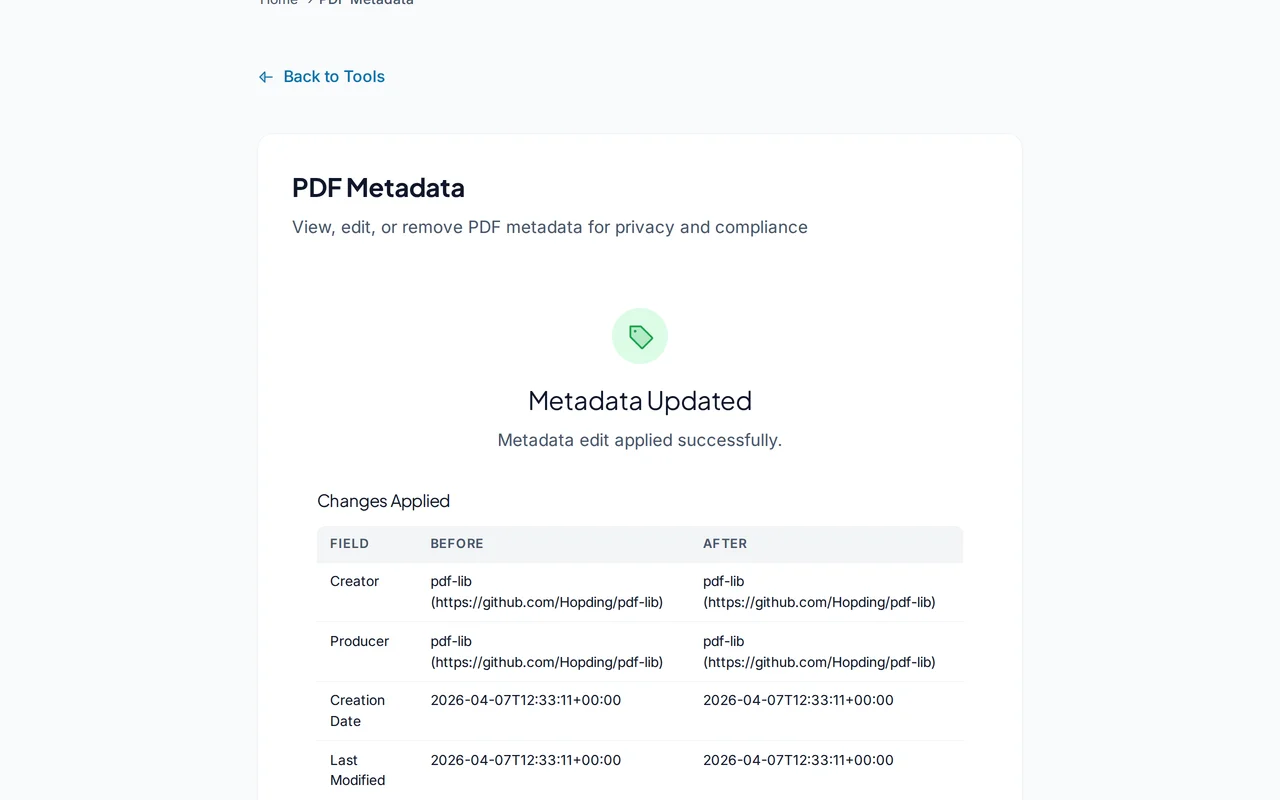
Download the updated PDF
Click "Save Metadata". PDFredo writes the changes on secure EU servers and offers the file for download.
Pro Tips
- Clear all metadata before sharing externally. Author names often leak through email.
- Set meaningful keywords to boost search visibility inside document management systems.
- Run Inspector after saving to confirm the metadata was actually cleared.
Frequently Asked Questions
What metadata can I change?
▾
Title, author, subject, keywords, and producer. Creation and modification dates are updated automatically.
Does editing metadata change the content?
▾
No. Only the metadata fields change. Pages, text, and images stay identical.
Can I clear all metadata at once?
▾
Yes. The "Clear all" button empties every editable field in a single click.
Are my files private?
▾
Files are processed on EU servers (Germany) and deleted automatically after 30 minutes.
Is the metadata editor free?
▾
Yes. No registration, no subscription, no watermarks.
Can I edit metadata on a password-protected PDF?
▾
Unlock the PDF first with our Unlock tool, then edit metadata.
Does it work on mobile?
▾
Yes. Any modern browser on iOS or Android.