How to Extract Pages from a PDF for Free
⏱ Takes less than 1 minute
Only need a few pages from a big PDF? PDFredo's free online page extractor lets you select any pages and save them as a new document. No account, no watermarks, and your file is deleted from our EU servers after 30 minutes.
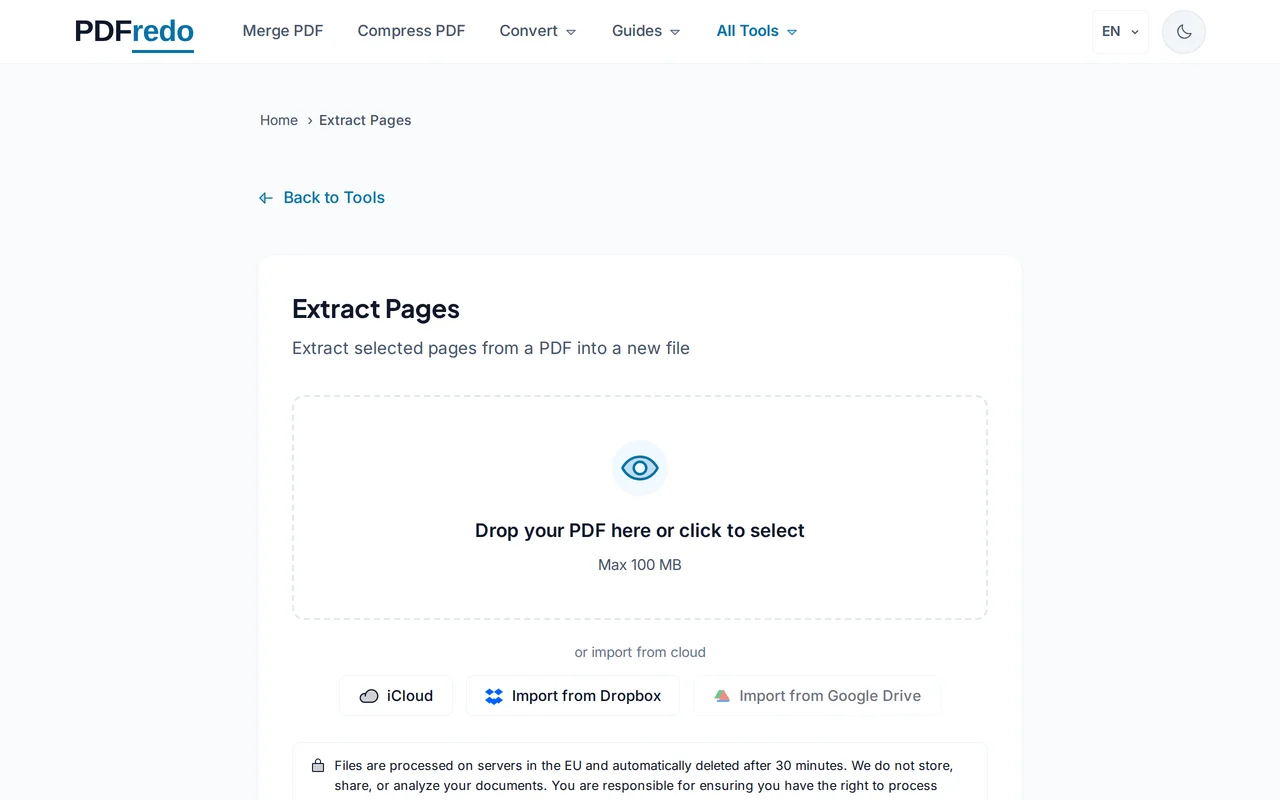
Upload your PDF
Drag and drop your file or click "Select File". All pages load as thumbnails you can select visually.
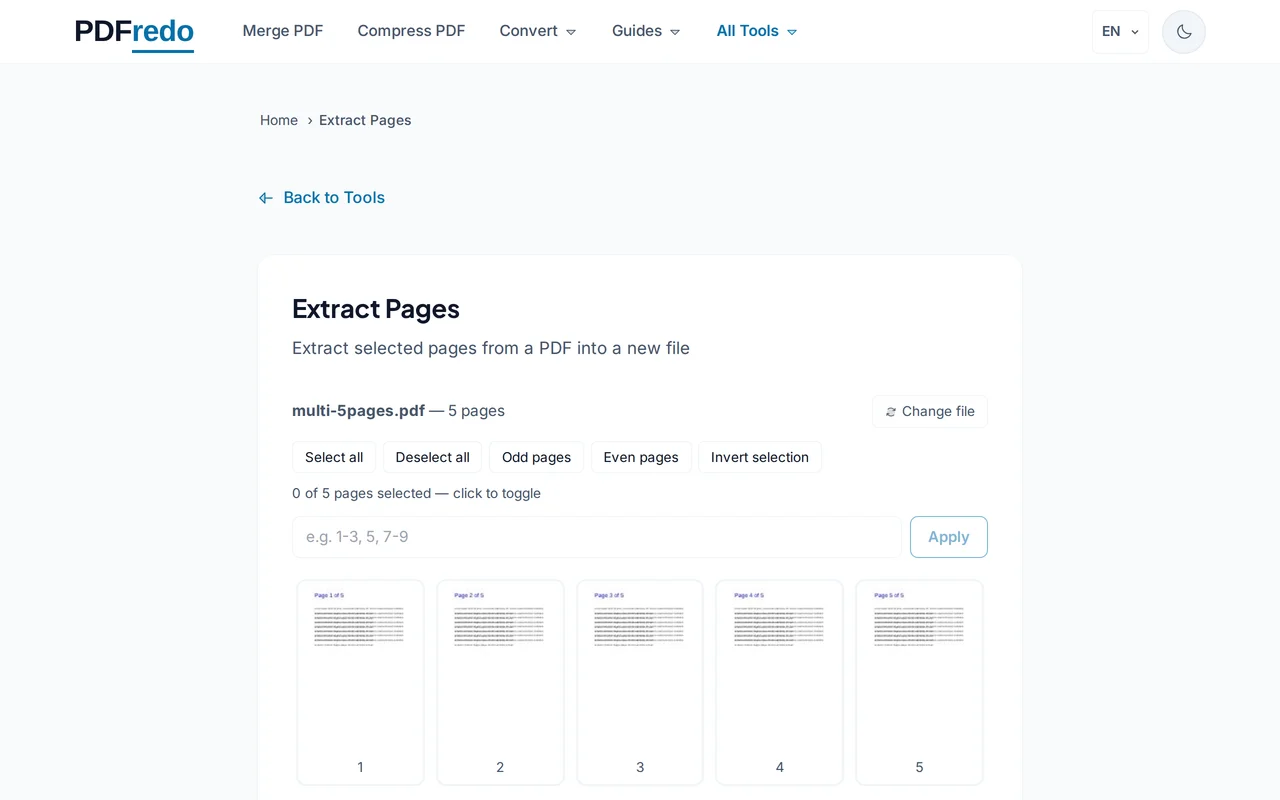
Select the pages to extract
Click thumbnails to pick pages or type a range like "1-3, 7, 10-12". Selected pages are highlighted in the preview.
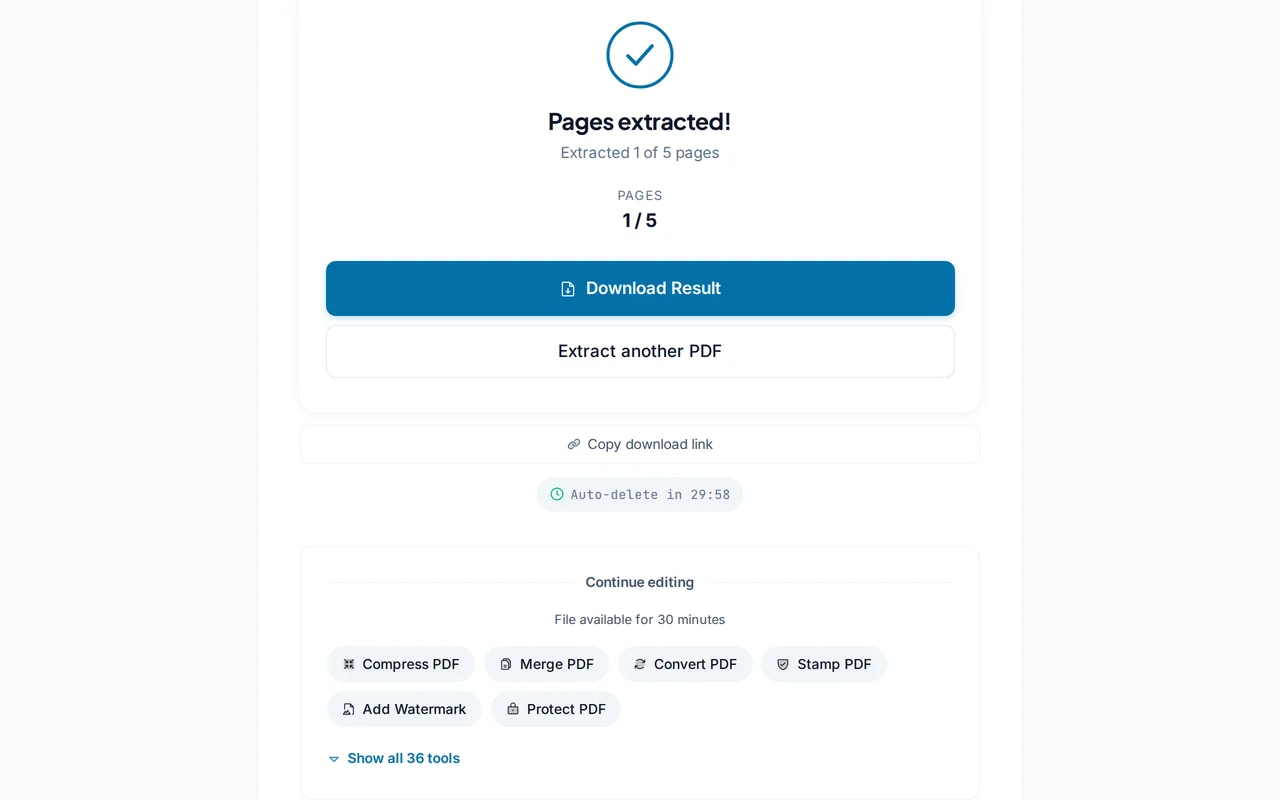
Download the new PDF
Click "Extract Pages". PDFredo builds the new document on secure EU servers and offers it for download.
Pro Tips
- Enter non-contiguous ranges like "1, 5-7, 12" to grab several sections in one PDF.
- To extract each page as its own file, use our Split PDF tool with "every 1 page".
- If you want to keep the originals and remove unwanted pages instead, try our Remove Pages tool.
Frequently Asked Questions
Does extraction keep original quality?
▾
Yes. Selected pages are copied without re-encoding, so fonts, images, and links stay exactly as they were.
How many pages can I extract at once?
▾
Any number within a 100 MB source file. There is no hard cap on page count.
Can I extract from a password-protected PDF?
▾
Remove the password first with our Unlock PDF tool, then come back to extract.
Are my files safe?
▾
Files are processed on EU servers (Germany) and deleted automatically after 30 minutes. We never share or store your documents.
Is it really free?
▾
Yes. No registration, no subscription, no watermarks on the output.
Does it keep bookmarks and hyperlinks?
▾
Internal links pointing to extracted pages are kept. External hyperlinks always work.
Does it work on mobile?
▾
Yes. Any modern browser on iOS or Android, no app required.