How to Inspect a PDF Online for Free
⏱ Takes less than 1 minute
Curious what is inside a PDF? PDFredo's free online PDF inspector shows metadata, embedded fonts, images, attachments, and security settings in one clean report. No account, no watermarks, and your file is deleted from our EU servers after 30 minutes.
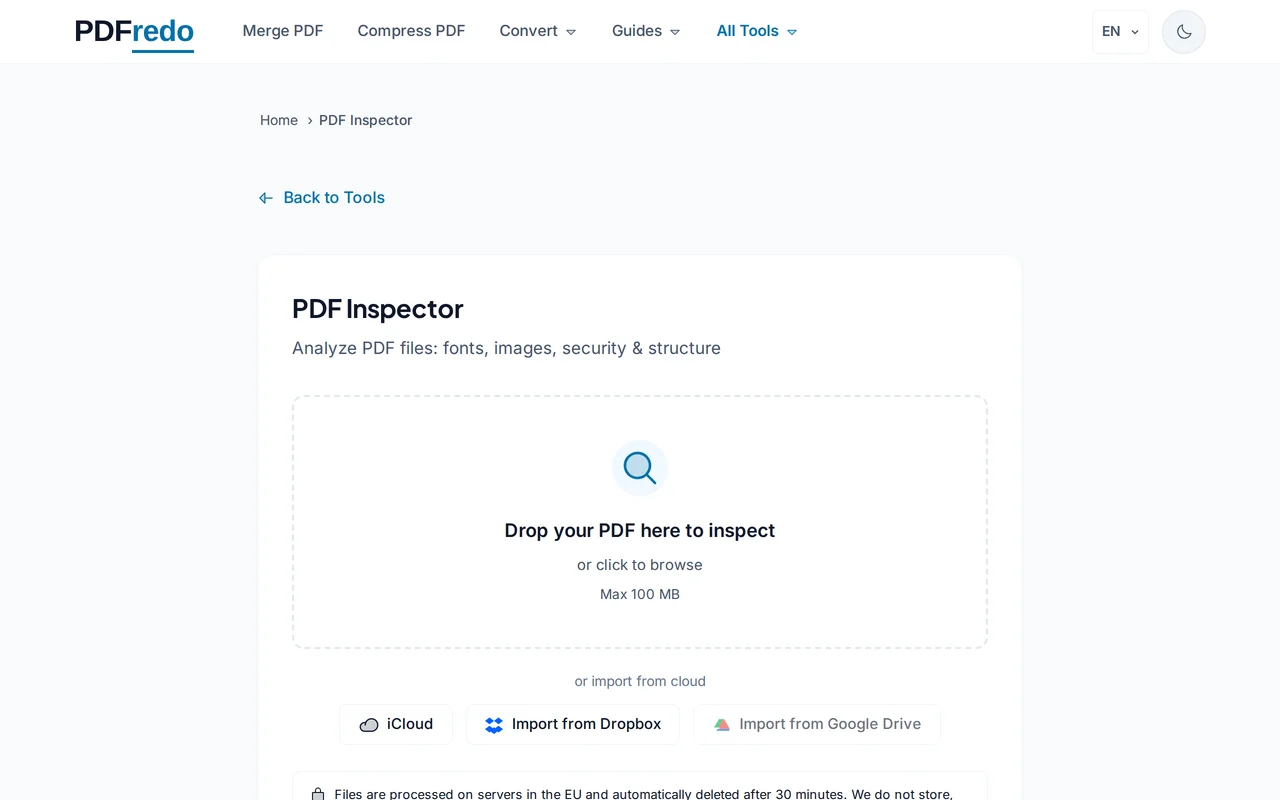
Upload your PDF
Drag your file or click "Select File". Files up to 100 MB are supported.
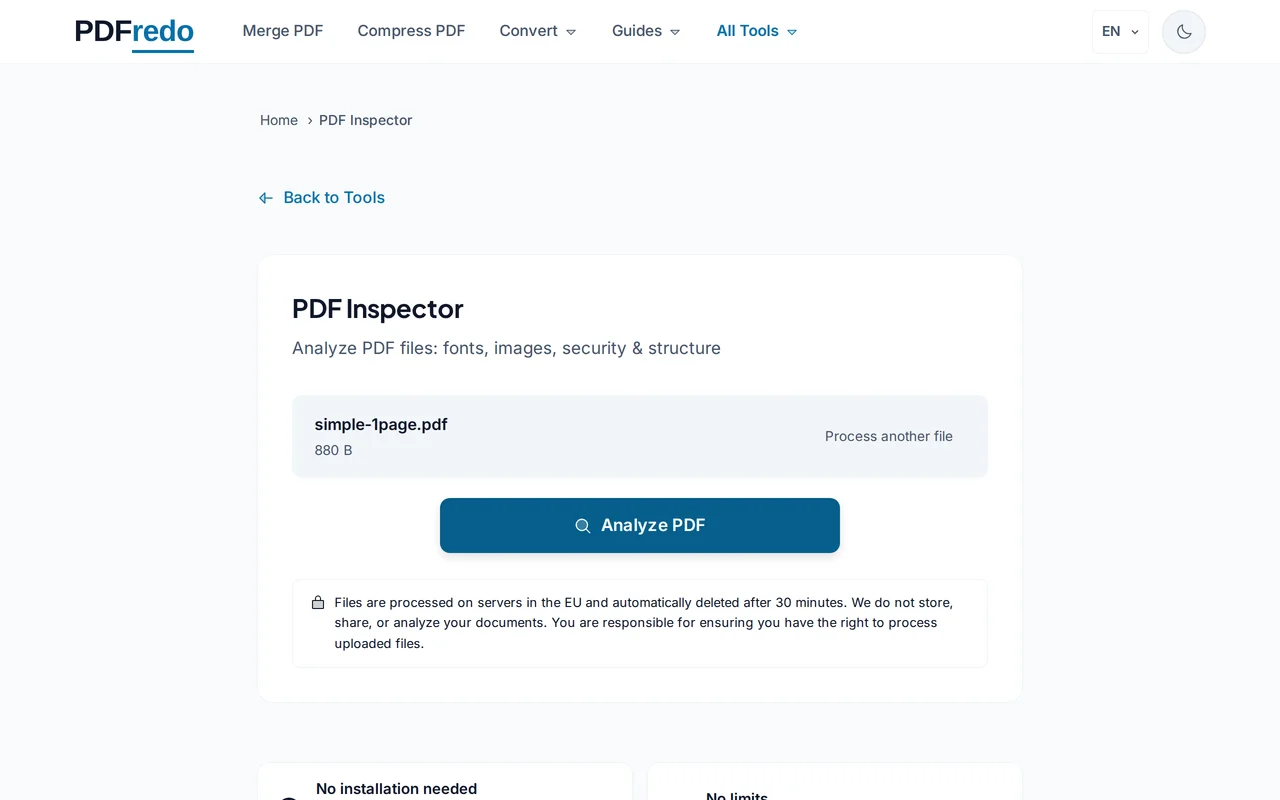
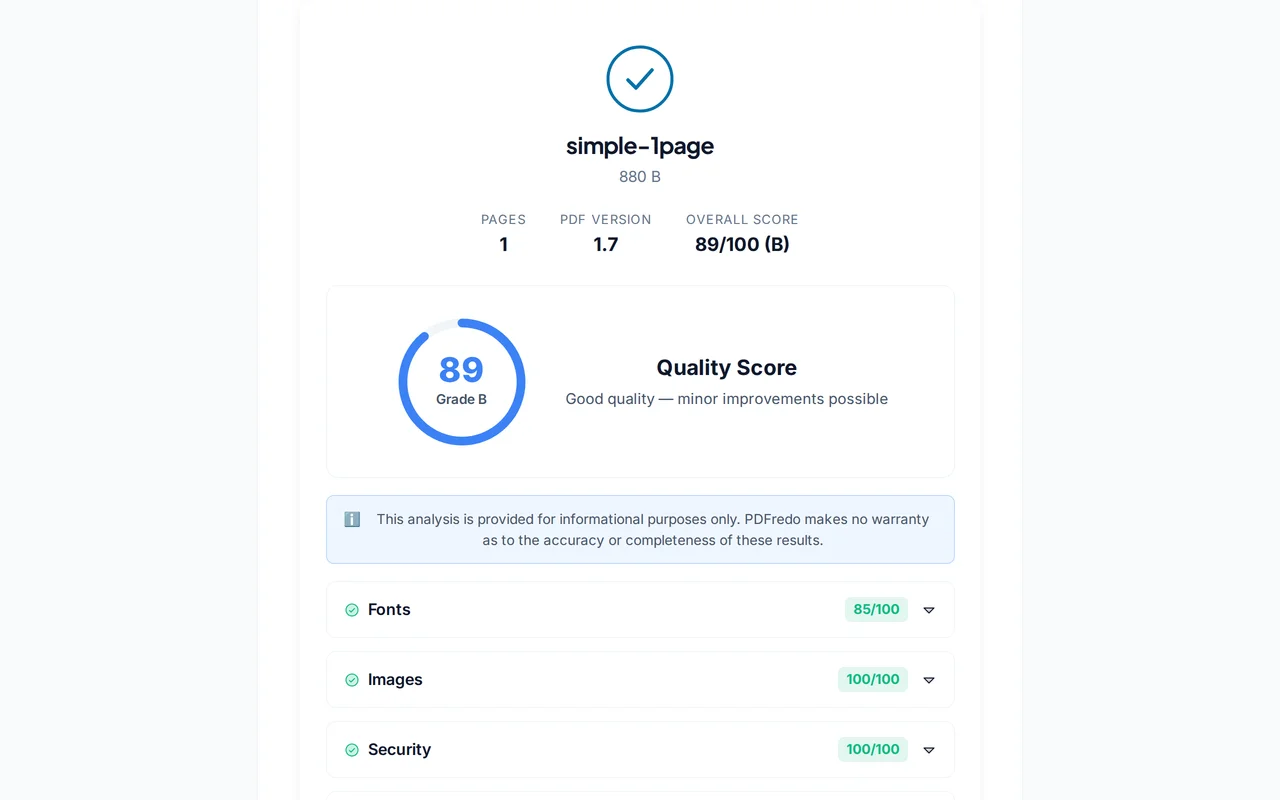
Review the report
PDFredo lists title, author, producer, page count, encryption, permissions, fonts (embedded vs. not), images, and JavaScript flags.
Download or export
Export the full report as a PDF or JSON for audits, or use the quick links to clean metadata, compress, or repair the file.
Pro Tips
- Inspect before sharing. The Metadata section often contains hidden author or edit history.
- Non-embedded fonts can break rendering on other devices. Re-save after embedding or convert to PDF/A.
- Run Inspector before and after Redact to confirm sensitive metadata is gone.
Frequently Asked Questions
What exactly does the report show?
▾
Document metadata (title, author, producer), page count, encryption level, permissions, fonts, embedded images, attachments, and any JavaScript.
Can I edit the metadata here?
▾
Use our Metadata tool to edit title, author, subject, and keywords in one click.
Does inspection modify my PDF?
▾
No. Inspector only reads the file. Nothing is changed.
Are my files private?
▾
Files are processed on EU servers (Germany) and deleted automatically after 30 minutes.
Is the inspector free?
▾
Yes. No registration, no subscription, no watermarks on exported reports.
Can I inspect password-protected PDFs?
▾
Basic info is visible without the password. Full internal inspection needs an unlocked file. Use our Unlock tool first.
Does it work on mobile?
▾
Yes. Any modern browser on iOS and Android.